App Visit Fano
Discover the City with the Visit Fano Web App
Your digital guide to
experiencing the city.
Discover Fano at your fingertips!
Your go-to digital guide to exploring the city and making the most of your visit. With the Visit Fano Web App, you can quickly and easily find itineraries, restaurants, must-see places and plenty of experiences to enjoy.
Click here to get started:
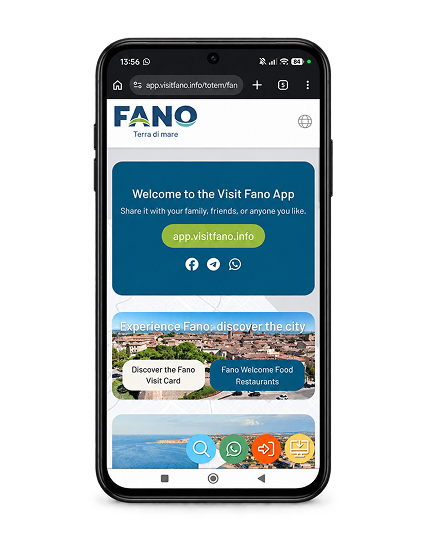
What can you do with
the Visit Fano web app?
Everything you need to discover and experience Fano, right at your fingertips!
- Activate your Fano Visit Card and discover all the benefits waiting for you.
- Explore ready-made itineraries to discover the city’s most beautiful and charming spots.
- Stay up to date with events and don’t miss what’s happening in Fano.
- Discover where to eat, from local restaurants and cafés to traditional specialties.
- Explore Fano and its surroundings and get inspired by new experiences and places to visit.
- Find all the useful information you need to plan your visit and enjoy Fano without a worry.
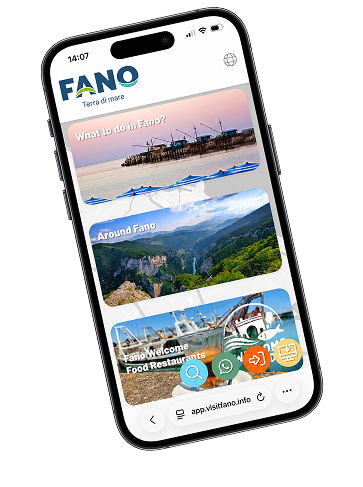
Smartphone e Tablet (Mobile)
On Android Devices (Google Chrome)
- Open Chrome and visit the Visit Fano Web App.
- You may see an “Add to Home Screen” banner appear automatically. Simply tap it.
- If the banner doesn’t appear:
- Tap the three dots in the top-right corner of Chrome.
- Select “Install app” or “Add to Home Screen”.
- Confirm the installation. You’ll find the Visit Fano Web App on your Home Screen, ready to use!
On iOS Devices – iPhone & iPad (Safari)
Note: On iOS, we recommend using Safari to add the Web App to your Home Screen
- Open Safari and visit the Visit Fano Web App.
- Tap the “Share” button (the square icon with an upward arrow).
- Scroll down and select “Add to Home Screen”.
- You can customize the app’s name if you like, then tap “Add” in the top-right corner. The Visit Fano Web App icon will appear on your Home Screen, just like a regular app!
F.A.Q.
No! Progressive Web Apps (PWAs) are lightweight and take up very little space on your device, as they run directly through your browser.
No need to visit the App Store or Google Play! The app updates automatically whenever you open it with an active internet connection.
Simply press and hold the app icon, then select “Remove App” or “Uninstall”.